Understanding the cost of a streaming device can be overwhelming, especially with so many options available. As a Canadian buyer, you might wonder what you can expect to pay for a reliable device. Prices can vary significantly, starting from around $50 CAD for basic models to over $350 CAD for high-end options.
I’ve spent years testing various devices and know that clarity is essential for making informed decisions. The price you encounter will depend on whether you choose a dedicated Linux-based device or a versatile Android-powered option. It’s important to recognize that the upfront cost is just one part of your investment in how you’ll consume content.
Throughout this guide, I will break down the factors that influence pricing, from hardware specifications to software capabilities. By the end, you will have a clear understanding of which device fits your budget and viewing habits.
Key Takeaways
- Prices for streaming devices in Canada range from $50 to $350 CAD.
- Device choice impacts overall cost and functionality.
- Understanding hardware and software specifications is crucial.
- Investing in a quality device can enhance your viewing experience.
- My recommendations are based on hands-on testing of popular options.
Understanding What an IPTV Box Is
Navigating the world of streaming technology can be a challenge, especially when it comes to understanding what an IPTV box truly is. Let’s clarify what IPTV means and how these devices function in the streaming landscape.
Defining IPTV and How an IPTV Box Works
IPTV stands for Internet Protocol Television. This system delivers live TV channels and on-demand content directly to your screen via a dedicated internet connection. Unlike popular streaming apps like Netflix or YouTube, IPTV connects you to specific servers through your internet service, utilizing a separate player, either hardware or software.
The IPTV box acts as the bridge between your television and the IPTV service provider’s servers. It decodes the signal and displays it on your screen, mimicking the experience of traditional TV. This hardware device is purpose-built to handle the specific protocols and middleware used by IPTV services.
Many people may not realize that an IPTV box is fundamentally different from the built-in apps found on Smart TVs. The box is optimized for streaming, providing a seamless experience with features like electronic program guides, channel zapping, and DVR functionality.
Without a dedicated IPTV box, your viewing options would be limited to a computer or mobile device. This simply doesn’t compare to the convenience of a device connected to your main television. The way an IPTV box works is straightforward: it connects to your home internet via Wi-Fi or Ethernet, authenticates with your subscription service, and pulls in the media streams you’ve paid to access.
I’ve tested numerous devices, and the best ones make the entire process invisible. You simply turn on your TV, grab the remote, and start watching without worrying about the technology behind it.
Why You Need an IPTV Box for Streaming
Investing in an IPTV box can significantly enhance your streaming experience. These devices are engineered to provide a smooth, cable-like experience, ensuring you have access to the content you love without the hassle. If you’re serious about streaming, having a dedicated device is the way to go.
| Feature | IPTV Box | Smart TV Apps |
|---|---|---|
| Dedicated Streaming | Yes | No |
| Optimized Performance | Yes | Varies |
| Electronic Program Guide | Available | Limited |
| DVR Functionality | Available | Not Typically |
| Content Variety | Extensive | Dependent on Apps |
The Importance of IPTV Box Price for Canadian Buyers
When considering a streaming device, understanding its cost is crucial for Canadian buyers. The price you pay for an IPTV box can significantly affect your viewing experience and the features you receive.
Over the years, I’ve learned that the price you pay directly correlates with what you’re getting under the hood. It’s essential for Canadian buyers to grasp this relationship before making a decision.
Several factors influence the price of these devices:
- The type of operating system plays a significant role. Linux boxes are often more affordable and stable, while Android boxes tend to command higher prices due to their versatility and app compatibility.
- Hardware specifications, such as RAM, CPU power, and internal storage, are major price drivers. For instance, a box with 4GB of RAM and 128GB of storage, like the Formuler Z12 Ultra priced at $359.99, will always cost more than a basic 1GB RAM Linux box.
- Brand reputation and after-sales support are also critical. Established manufacturers like Formuler, Infomir, and BuzzTV often charge more because they invest in firmware updates and customer service infrastructure.
- Features like 4K resolution, HDR10+ support, and Dolby Vision significantly impact the price. These require more powerful processors and licensed technologies.
When you see a higher price, you’re typically paying for better build quality, a more responsive user interface, and future-proofing that keeps the device relevant for years. In my testing, the performance gap between a $50 Android box and a $200 dedicated IPTV box is immediately noticeable in terms of menu responsiveness, stream stability, and overall user experience.
The details matter here. Quality of the remote control, the presence of an external Wi-Fi antenna, and the availability of Gigabit Ethernet ports all contribute to the final price you’ll see on the shelf.
| Device | Price | Features |
|---|---|---|
| Formuler Z8 | $149.99 | 16GB storage, 4K, HDR |
| MAG 324 | $139.99 | 1080p, no 4K or HDR |
| BuzzTV XR4000 | $219.99 | 4K, HDR, 16GB storage |
| NVIDIA Shield | $259.99 | High performance, versatile |
| Formuler Z12 Ultra | $359.99 | 4GB RAM, 128GB storage |
Price Ranges of Popular IPTV Boxes in 2026 and Beyond
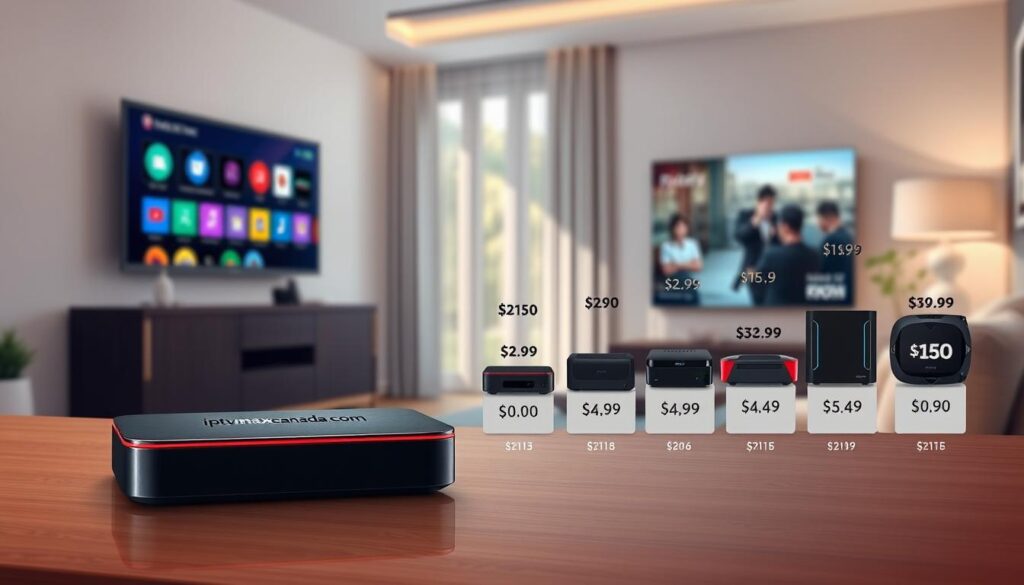
As a Canadian buyer, it’s essential to understand the different price ranges for streaming devices available in 2026. The market is diverse, and I’ve categorized it into three distinct tiers based on my extensive testing. This way, you can know what to expect at each level.
In the budget category, which ranges from approximately $50 to $80 CAD, you’ll find basic Android TV devices. These typically come with 2GB of RAM and 16GB of ROM. They can handle streaming but may struggle with multitasking or heavier applications.
I’ve tested several devices in this price range. While they are suitable for casual viewing, you might experience slower menu navigation, occasional buffering, and limited support for advanced features like 4K HDR.
Budget Streaming Devices: Affordable Options
Some popular options in the budget category include:
- Fire TV Stick 4K: $49–$59
- MAG540w3: $89–$109 (one-time purchase; no recurring fees)
Moving up to the mid-range tier, which falls between $100 and $160 CAD, I can confidently recommend devices like the BuzzTV B5 at $109.99 or the MAG 544 W3 at $139.99. These devices offer significantly better build quality and more reliable performance.
Premium Streaming Devices: What You Get for More
The premium IPTV boxes I’ve reviewed, priced between $200 and $360 CAD, deliver an entirely different experience. For instance, the Formuler Z11 Pro at $219.99 and the Formuler Z12 Ultra at $359.99 come with lightning-fast processors and ample storage.
It’s important to note that premium devices are not just about specifications. They often include superior remote controls, polished user interfaces, and features like Dolby Vision and Dolby Atmos. These enhancements can transform your living room into a home theater.
When considering the best streaming devices available to Canadians right now, the sweet spot for most buyers tends to be in the $140 to $220 CAD range. This range provides excellent performance without overspending on features you might not use.
Interestingly, I’ve noticed that the price gap between budget and premium devices has narrowed somewhat in 2026. This means you can now find a very capable streaming device for less than you might expect.
| Device | Price (CAD) | Features |
|---|---|---|
| Budget Android TV Box | $50.97 – $76.99 | 2GB RAM, 16GB ROM |
| BuzzTV B5 | $109.99 | Reliable performance, better build quality |
| MAG 544 W3 | $139.99 | Enhanced streaming experience |
| Formuler Z11 Pro | $219.99 | Fast processor, high storage |
| Formuler Z12 Ultra | $359.99 | Advanced features, superior interface |
| NVIDIA Shield Android TV Pro | $259.99 | High performance, versatile |
My Top Recommended IPTV Boxes for Canadians
After extensive testing, I’ve identified three standout streaming devices that every Canadian should consider. Each of these devices brings unique features and performance capabilities to the table, making them suitable for different needs and preferences.
Formuler Z8: The Cutting-Edge Streaming Device
The Formuler Z8 remains one of my all-time favorite streaming devices. Its exceptional external antenna ensures a rock-solid connection, even when your router is on a different floor of your home. I was truly impressed by the Z8’s ability to handle 4K and HDR content effortlessly.
With 16GB of internal storage, you can record plenty of programming using the built-in DVR functionality. In my testing, the Z8’s user interface and electronic program guide are among the best I’ve ever used. It makes finding what you want to watch a breeze.
MAG 324: A Reliable Choice for Basic Streaming
For Canadians who don’t need cutting-edge resolution, I often recommend the MAG 324. This device delivers a reliable 1080p streaming experience at a more accessible price point. I’ve found the MAG 324 to be surprisingly speedy for a budget-friendly option.
Its straightforward setup makes it an ideal choice for first-time users who want a hassle-free experience. The internal antenna also provides decent performance, making it a solid entry-level device.
BuzzTV XR4000: Powerful and Customizable
The BuzzTV XR4000 earned its spot on my list because of the incredible level of customization it offers. You can program shortcut buttons on the remote and configure how the device behaves when you turn it on. I particularly appreciate the XR4000’s backup and restore function, which has saved me more than once when I needed to recover my settings after experimenting with different configurations.
While the XR4000’s wireless connectivity isn’t perfect, using an Ethernet connection eliminates any minor issues. This lets you enjoy the full power of this impressive streaming device.
Other Notable IPTV Boxes Worth Considering
If you’re exploring additional options in the world of streaming devices, there are several noteworthy alternatives to consider. Beyond my top three picks, I’ve tested several other IPTV boxes that deserve your attention, especially if you’re looking for specific features or a particular price point that my main recommendations don’t cover.
Dreamlink T1 and T2 Series
The Dreamlink T1 series stands out for its robust design and compact size. It offers a solid 1080p output at an affordable price. If you’re looking for something more advanced, the Dreamlink T2 steps up with HDR and 4K capabilities. It runs on the Android 7 Nougat OS, providing an incredible user interface that is both feature-rich and user-friendly.
Formuler Z7+ and MAG 322 Models
I was genuinely impressed by the Formuler Z7+ when I reviewed it. Even though it’s an older model, its hardware still holds up remarkably well. It features good RAM and offers an easy setup with a vivid picture quality. The remote control is one of the most comfortable I’ve ever used.
On the other hand, the MAG 322 is a streaming device I’d recommend to anyone who wants a no-frills IPTV box. It focuses purely on delivering stable streams without the complexity of app stores or additional software. However, it doesn’t support VPNs or subtitles, which could be dealbreakers for some Canadian users. Still, its core streaming performance is rock-solid for the price.
TVIP v.605 and BuzzTV XPL3000 Features
The TVIP v.605 genuinely surprised me with its dual-boot capability. You can switch between Linux and Android 8.0, giving you the stability of a dedicated IPTV box and the flexibility of an Android box in one device. This feature allows you to enjoy a lag-free experience while accessing various apps.
Lastly, the BuzzTV XPL3000 has proven to be a versatile workhorse. Thanks to its quad-core processor and Stalker middleware, it is compatible with virtually any IPTV subscription service you might already be using. It also features an external antenna, PVR capabilities, and HDR support, making it a great option for users seeking flexibility and performance.
Budget-Friendly vs. Elite IPTV Boxes: Finding Your Match
Choosing the right streaming device can be a balancing act between budget and features. Understanding the differences between Linux and Android IPTV options is crucial for making an informed decision.
Linux IPTV set-top boxes are often the best pick for pure stability and lower costs. Models like the MAG544w3 and MAG540w3 focus strictly on playing content smoothly. They load fast and rarely crash, making them ideal for those who want a traditional cable feel without extra clutter or confusing menus.
Linux IPTV Boxes for Stability and Simplicity
I’ve spent a lot of time comparing Linux and Android IPTV boxes side by side. Your choice between them should be driven by how you actually plan to use the device.
- Linux IPTV boxes like the MAG544w3 and MAG540w3 are what I recommend to people who want a traditional cable-like experience—they boot up fast, rarely crash, and focus entirely on delivering smooth television streaming without distractions.
- In my experience, Linux-based set-top boxes are the superior choice for households where simplicity matters most. There are no app stores to navigate and no unnecessary features cluttering up the interface.
- I’ve noticed that Linux boxes tend to be more affordable, making them an excellent entry point for Canadians who are new to streaming and don’t want to spend a lot on their first device.
Android IPTV Boxes for Versatility and Apps
On the other hand, Android IPTV boxes like the MAG555 open up a world of possibilities. You can install apps from the Google Play Store alongside your IPTV service.
I find that Android boxes are the better choice for users who want to consolidate all their entertainment into one device. You can run your IPTV subscription, Netflix, YouTube, and even games on the same box.
The trade-off I’ve observed is that Android boxes typically cost more and can sometimes feel less stable than their Linux counterparts. However, the gap has narrowed considerably with newer hardware.
When I help Canadian buyers make this decision, I always ask them to consider whether they value versatility and apps or stability and simplicity more. There’s no wrong answer, just different priorities.
| Device Type | Example Models | Key Features | Price Range (CAD) |
|---|---|---|---|
| Linux IPTV Boxes | MAG544w3, MAG540w3 | Fast loading, stable performance | $50 – $100 |
| Android IPTV Boxes | MAG555 | Access to apps, 4K support | $150 – $250 |
IPTV Box vs Android TV Box: Which Should You Choose?
Understanding the differences between an IPTV box and an Android TV box is essential for Canadian buyers. Many people ask me which device is better for streaming. The answer depends on what you value most in your viewing experience.
A dedicated IPTV box is purpose-built to deliver a cable-like television experience. It features optimized middleware, fast channel switching, and a proper electronic program guide. In my testing, these devices excel in providing a smooth streaming experience.
On the other hand, an Android TV box acts like a mini computer. It runs a full mobile operating system and can do many things. IPTV streaming is just one of the many apps you can install on it, such as Netflix and YouTube.
I’ve found that Android boxes offer significantly more versatility. You can download a variety of apps, making them a complete entertainment hub. However, the downside is that the IPTV experience often feels less polished. Channel switching can be slower, and the interface isn’t as streamlined as what you get on a dedicated IPTV box.
For Canadian users who primarily want to watch IPTV, I usually recommend a dedicated IPTV box. It provides a smooth, cable-like experience that is hard to beat. However, if you want a single device that can handle IPTV along with your favorite apps, an Android box might be the smarter choice.
Interestingly, the line between these two categories has blurred in recent years. Some premium Android boxes now offer IPTV-optimized launchers that narrow the experience gap considerably. This evolution gives you more options than ever before.
How to Set Up Your IPTV Box: An Easy Guide
Setting up your new streaming device can feel daunting, but it doesn’t have to be. I’ve set up more IPTV boxes than I can count, and I want to walk you through the entire process so you can get your new device up and running in minutes without any technical headaches.
Step 1: Connecting Your IPTV Box to Your TV
The first step is straightforward. I always tell people to grab an HDMI cable, connect one end to the IPTV box and the other to an available port on your television. Then, plug in the power adapter and turn everything on.
Once your television displays the welcome screen, you’ll need to select the correct HDMI input using your TV remote. This simple step can trip up even tech-savvy users who forget it.
Step 2: Establishing an Internet Connection
For the internet connection, I strongly recommend using an Ethernet cable if possible. It provides the most stable streaming experience. However, Wi-Fi works perfectly fine if you’re within reasonable range of your router.
After your box is online, allow any system updates to install immediately. Manufacturers like Formuler and Infomir regularly release firmware improvements that enhance performance and fix bugs.
Step 3: Activating Your IPTV Service
The activation step is where you’ll need your IPTV subscription details handy. Open the appropriate app on your device, enter the login credentials provided by your service provider, and wait for the channels to populate.
I always recommend restarting the app after the initial channel load. This simple step often resolves any minor glitches that might occur during the first-time setup.
Step 4: Finalizing Settings for Best Experience
For the final settings, I advise setting your video quality to match your television’s capabilities. If you have a 4K TV, make sure you’re outputting at 4K. Also, take a moment to adjust the audio settings for your specific sound setup.
Testing a few channels before you settle in for a long viewing session is a habit I’ve developed over years of reviewing these devices. This can save you from discovering issues at the worst possible moment.
| Step | Action | Details |
|---|---|---|
| 1 | Connect to TV | Use HDMI cable to connect IPTV box to TV, select HDMI input. |
| 2 | Internet Connection | Choose Ethernet or Wi-Fi, enter password if needed. |
| 3 | Activate Service | Open IPTV app, enter subscription details, wait for channels to load. |
| 4 | Finalize Settings | Set video quality, adjust audio, test channels. |
Key Features to Look for in a 2026 IPTV Box
When selecting a streaming device in 2026, it’s essential to focus on specific features that can significantly enhance your viewing experience. These features directly impact performance, usability, and overall satisfaction with the device.
Performance: RAM, CPU, and Storage
Performance is a critical factor in determining how well a streaming device operates. I’ve found that RAM is absolutely essential; 2GB is the bare minimum for smooth operation. However, devices like the Formuler Z11 Pro Max and BuzzTV X5 AX-C, which come with 4GB of RAM, offer a noticeable improvement in menu responsiveness and multitasking capabilities.
The CPU and processor architecture also play a vital role. A modern quad-core processor is preferable over older dual-core designs, as it enables quicker decoding of video streams and faster navigation through menus. Additionally, storage capacity is often overlooked. While 16GB is adequate for basic use, I recommend at least 32GB if you plan to record live TV or install additional apps alongside your streaming service.
Streaming Quality: 4K, HDR, and Ethernet/Wi-Fi
In 2026, 4K support is essential for an optimal viewing experience. I also look for compatibility with HDR formats, such as HDR10+ or Dolby Vision, especially if you own a newer television that can utilize these enhanced picture formats. For the best streaming quality, I have learned that a wired Ethernet connection is vastly superior to Wi-Fi. Therefore, I always check for a Gigabit Ethernet port, although dual-band Wi-Fi with 5GHz support is a must-have backup for flexibility.
User Interface and App Compatibility
The user interface is another crucial aspect that can make or break your experience. A clean, responsive interface enhances usability, and I consistently find that brands like Formuler and BuzzTV deliver the best interfaces. Additionally, app compatibility is vital, particularly for Android-based devices. You want the freedom to install popular IPTV apps like TiviMate or IPTV Smarters alongside other entertainment applications.
Finally, I pay attention to the design of the remote control. Features like backlit buttons, programmable shortcuts, and voice control capabilities can genuinely improve daily use and make navigation much easier.
| Feature | Recommended Specifications | Examples |
|---|---|---|
| RAM | Minimum 2GB; 4GB or more preferred | Formuler Z11 Pro Max, BuzzTV X5 AX-C |
| CPU | Quad-core or better | Formuler Z12 Ultra, MAG555 |
| Storage | 16GB minimum; 32GB or more ideal | Formuler Z12 Ultra (128GB), BuzzTV X5 AX-C (expandable) |
| Streaming Quality | 4K and HDR support | Formuler Z12 Ultra, MAG555 |
| Connectivity | Gigabit Ethernet, Dual-band Wi-Fi | Formuler Z12 Ultra, MAG544W3 |
| User Interface | Clean and responsive | Formuler, BuzzTV |
| Remote Control | Programmable, voice control | Various models |
Choosing the Right IPTV Service Provider in Canada
Selecting the ideal streaming service can significantly impact your overall viewing experience. When it comes to IPTV, various elements play a crucial role in making the right choice.
First and foremost, you should consider the content variety and channel availability. A provider that offers a comprehensive selection of Canadian channels, along with international programming and a massive on-demand library, is essential. Vois IPTV, for instance, boasts over 15,000 live channels and more than 500,000 movies, catering specifically to Canadian tastes.
Content Variety and Channel Availability
I’ve learned that even the best IPTV service in the world won’t deliver a good experience if you pair it with a subpar provider. Therefore, choosing the right IPTV subscription is just as important as selecting the right hardware.
Channel availability varies widely between providers. I always recommend checking that your must-have channels are included before committing to any subscription, especially if you follow specific sports leagues or regional programming.
Compatibility with Your IPTV Box
Compatibility with your IPTV box is non-negotiable. Most services work with popular devices from Formuler, MAG, and BuzzTV, but I always verify this detail before signing up to avoid frustration. Ensuring that your chosen service works seamlessly with your device will save you time and headaches down the line.
Pricing and Subscription Models
I’ve found that subscription pricing models range from monthly plans to annual commitments. The best IPTV services typically offer discounts for longer subscriptions while still providing a trial period to test the waters. Understanding the details of what’s included in each subscription tier matters—some providers offer multiple simultaneous connections, catch-up TV, and cloud DVR storage as premium add-ons.
Finally, I always advise Canadian buyers to prioritize services that have responsive customer support and active communities. Issues will inevitably arise, and you want to know someone has your back.
Making the right IPTV choice ultimately comes down to balancing your content needs with your budget. I’ve seen too many people overpay for channels they never watch or underpay for a service that buffers constantly.
| Provider | Channels | On-Demand Content | Pricing Model |
|---|---|---|---|
| Vois IPTV | 15,000+ | 500,000+ Movies | Monthly, Annual Discounts |
| Provider B | 10,000+ | 300,000 Movies | Monthly Only |
| Provider C | 8,000+ | 250,000 Movies | Annual Discounts Available |
Legal Considerations of Using IPTV in Canada
Many Canadians find themselves questioning the legal status of IPTV services as they explore their streaming options. This concern is common among those new to the world of streaming, and it’s important to address it head-on.
The technology behind IPTV is completely legal. It simply refers to a method of delivering television content over the internet. There’s nothing unlawful about owning or using a streaming device designed for this purpose.
However, the legality of your setup hinges on the specific service you subscribe to. Licensed providers, which have the proper distribution rights, operate within the law. In contrast, unlicensed services that stream copyrighted content without permission do not.
I’ve researched this topic extensively, and the key distinction lies in whether the service has obtained the necessary broadcasting rights for the content it distributes to Canadian viewers. Using licensed services is crucial—not only does it keep you on the right side of the law, but these providers also tend to offer more reliable streams and better customer support.
It’s vital to make sure you’re subscribing to a reputable provider that transparently communicates its licensing status. Chasing the cheapest possible subscription from an unknown source can lead to issues.
The details of Canadian copyright law can be complex. However, the practical takeaway is simple: if a deal seems too good to be true—like thousands of premium channels for just a few dollars a month—it probably isn’t legitimate.
I’ve seen too many people get burned by fly-by-night IPTV services that disappear overnight, taking their subscription money with them. This is yet another reason to stick with established, licensed providers.
Why Using a VPN Enhances Your IPTV Experience
Using a VPN can transform your streaming experience, making it safer and more enjoyable. I’ve been using a VPN with my IPTV setup for years, and I can tell you from personal experience that it’s one of the smartest additions you can make to your streaming configuration.
The primary reason I recommend a VPN to every Canadian IPTV user is privacy protection. Your internet service provider can see what you’re doing online, and a VPN encrypts your connection so your viewing habits remain your own business. This layer of security is crucial in today’s digital age.
I’ve noticed that some ISPs engage in bandwidth throttling when they detect streaming traffic. A VPN effectively prevents this by masking the nature of your internet activity from your provider. This means you can enjoy uninterrupted streaming without frustrating lags or buffering.
Another benefit I’ve experienced firsthand is the ability to bypass geographic restrictions. Some IPTV services may block access from certain regions, and a VPN lets you connect through a server in a different location. This opens up a world of content that might otherwise be unavailable to you.
Surprisingly, a quality VPN can actually improve streaming speed and stability in some cases. It does this by routing your connection through more efficient pathways than your ISP’s default routing. The way I see it, a VPN is a small additional investment that provides significant peace of mind and can genuinely enhance your overall IPTV experience.
I recommend choosing a VPN with dedicated streaming servers and a proven no-logs policy. PureVPN has been my go-to recommendation because of its speed and the 31-day money-back guarantee that lets you test it risk-free. Setting up a VPN on your IPTV box is straightforward, and once it’s configured, it runs quietly in the background without requiring any ongoing attention from you.

Owning an IPTV Box vs Renting or Using Cable Boxes
It’s crucial to recognize the long-term financial benefits of owning your streaming device. Many Canadians are unaware of the hidden costs associated with renting cable boxes. Cable providers often bury these fees in the fine print, making it easy to overlook.
Typically, you might pay between $10 and $20 a month for a standard cable box. Over time, this adds up to hundreds of dollars annually—money that could be better spent on a device you actually own.
When you purchase an IPTV box, the transaction is straightforward. There are no recurring charges for hardware, and the device becomes your personal property immediately. This one-time payment simplifies budgeting for your family and eliminates the stress of returning equipment if you move or switch providers.
Here are some advantages of owning your own device:
- Financial Advantage: I’ve done the math, and the savings from owning an IPTV box rather than renting a cable box are significant.
- Flexibility: If you move to a new home or switch internet providers, you can simply unplug your box and take it with you.
- Portability: Your entertainment setup travels with you, whether you’re moving across town or visiting family.
- Control: Owning your equipment allows you to choose the exact device that matches your needs instead of settling for a generic option.
- Cost-Effective: The one-time purchase price of a premium IPTV box, like the Formuler Z11 Pro at $219.99, is often less than what many Canadians pay in cable box rental fees over a year.
- Investment: Every dollar spent on a quality IPTV box is an investment in a device you’ll use for years, unlike rental fees that disappear forever.
In conclusion, the choice between owning an IPTV box and renting a cable box is clear. With ownership, you gain financial freedom, flexibility, and control over your home entertainment setup.
Expert Support and After-Sales Care for IPTV Boxes
When you invest in new technology, having reliable support is crucial for a smooth experience. This is especially true for streaming devices, where users often encounter questions about setup and connectivity. Having access to 24/7 support can make a significant difference in your overall experience.
Imagine having a knowledgeable person available to assist you at any hour. Instead of dealing with frustrating automated systems, you can speak to actual humans who understand how your device operates. They can guide you through troubleshooting steps, help with settings, and ensure your connection is stable.
Why 24/7 Support Matters
I’ve dealt with enough technology to know that even the best devices can occasionally need troubleshooting. That’s why I place such a high value on the quality of after-sales support when recommending streaming devices. The difference between a frustrating experience and a smooth one often comes down to whether you can reach a knowledgeable human being when something goes wrong with your device.
In my experience, the best support teams can walk you through setup issues, help with firmware updates, and diagnose connection problems. This means you can get back to watching your favorite content without requiring any technical knowledge on your part.
Easy Troubleshooting and Maintenance
I’ve found that Canadian buyers particularly value support that’s available during the hours they actually watch TV—late nights, weekends, and holidays. Easy troubleshooting is something I prioritize because I don’t want you to feel stranded if your device acts up. The best manufacturers provide clear documentation and responsive support channels.
The details of after-sales care matter. Things like warranty coverage, return policies, and the availability of replacement remotes or accessories can make a significant difference in your long-term satisfaction. I’ve noticed that the brands I recommend most often—Formuler, Infomir, and BuzzTV—all invest heavily in customer support infrastructure, which is one of the reasons their devices command slightly higher prices.
| Feature | Importance |
|---|---|
| 24/7 Support | Ensures assistance is available when you need it most. |
| Real Technicians | Provides knowledgeable help rather than scripted responses. |
| Easy Troubleshooting | Helps users resolve issues quickly without technical knowledge. |
| Clear Documentation | Guides users through setup and maintenance effectively. |
| Warranty and Return Policies | Protects your investment and ensures satisfaction. |
Future-Proofing Your IPTV Setup
As technology advances, ensuring your streaming setup remains relevant is vital. This is especially true for Canadian buyers looking to invest in a device that will last. Future-proofing your streaming experience can save you time and money in the long run.
One of the most important aspects of future-proofing is keeping your device updated. Firmware updates are crucial as they deliver performance improvements, new features, and essential security patches. I always check a manufacturer’s track record for releasing regular updates before recommending their boxes. For instance, Formuler and Infomir have consistently demonstrated their commitment to long-term software support.
Importance of Firmware Updates
Regular software updates ensure you stay up-to-date with the latest features and security enhancements. Many streaming devices allow firmware updates to improve performance, provide more functionality, or fix annoying bugs. Keeping your device updated can enhance streaming functionality and improve security.
Expandable Features and Storage Options
When considering expandable features, I pay close attention to whether a device supports external storage via USB or microSD. The ability to add more space for recordings and apps significantly extends the useful life of your streaming device. I’ve found that devices with more RAM and storage than you currently need are a smarter investment. This extra capacity gives you headroom for future software updates that may require more resources.
The streaming landscape in 2026 demands support for the latest codecs and resolutions. I recommend choosing a device that already supports 4K, HDR, and modern audio formats, even if your current TV doesn’t take advantage of them. A well-chosen streaming device should serve you reliably for at least three to five years, making it worthwhile to spend a bit more upfront on a future-proof option.
The boxes I recommend most highly share a common trait: they are built on platforms that receive ongoing developer attention. This ensures that your setup remains compatible with evolving streaming services and standards.
| Feature | Importance |
|---|---|
| Firmware Updates | Enhances performance and security. |
| Expandable Storage | Increases device longevity and usability. |
| RAM | Provides headroom for future updates. |
| 4K and HDR Support | Ensures compatibility with future content. |
Final Tips for Choosing the Right IPTV Box Price and Package
Choosing the right streaming device can be a significant decision for your home entertainment setup. It’s essential to consider how you watch TV. You may prefer a straightforward device or one that offers a variety of features. Your choice ultimately hinges on simplicity versus extra functionalities.
Investing in hardware is a one-time payment that simplifies budgeting. You get to enjoy the benefits for years without worrying about ongoing rental fees.
To help you make a confident decision about which streaming device and package suits your needs, here are some practical final tips:
- Evaluate Your Viewing Habits: Ask yourself if the features match your actual usage. If you’re watching on a 1080p television, paying extra for 4K and HDR may not be necessary.
- Be Honest About Usage: If you prefer flipping through channels like traditional TV, a simple Linux device might be ideal. However, if you want to enjoy apps and games, consider an Android option.
- Prioritize Quality Over Price: Investing in a quality device pays off. A $150 device that lasts five years is cheaper than a $60 device that needs replacement in 18 months.
- Consider Total Costs: Don’t allocate your entire budget to the device alone. Remember to factor in the cost of a subscription service and possibly a VPN for optimal setup.
- Think of the Complete System: The best experience comes from treating the device, service, and home network as interconnected parts of your entertainment system.
- Focus on Longevity: Spending a bit more on a reputable brand with good support and regular updates is a wise investment.
- Set a Clear Budget: Start with a budget in mind. Prioritize the features that matter most to your viewing habits and don’t hesitate to invest in quality hardware.
| Consideration | Details |
|---|---|
| Viewing Habits | Match features to how you actually watch TV. |
| Device Type | Choose between simplicity (Linux) or versatility (Android). |
| Quality vs. Price | Invest in quality for long-term savings. |
| Total Costs | Account for subscription and additional services. |
| System Integration | Treat all components as part of a cohesive system. |
| Brand Reputation | Opt for brands known for support and updates. |
| Budgeting | Establish a budget and prioritize essential features. |
Conclusion
After exploring the intricacies of streaming devices, you should now feel empowered to make an informed choice. The market in 2026 offers options for every budget, from affordable $50 Android devices to premium $360 powerhouses like the Formuler Z12 Ultra. Your ideal selection hinges on your personal needs and viewing habits.
Remember, the upfront cost of a streaming device is just one factor. Consider the total cost of ownership, including your subscription service and any VPN you might use. My top recommendations remain the Formuler Z8 for its exceptional performance, the MAG 324 for budget-conscious buyers, and the BuzzTV XR4000 for maximum customization.
I’ve learned that the best experience comes from pairing quality hardware with a reputable service provider. The streaming landscape continues to evolve, and I’m confident that the insights shared in this guide will serve Canadian viewers well into the future. Thank you for trusting my expertise, and I hope you find a device that delivers the entertainment experience you’ve been seeking.