When it comes to streaming live channels and on-demand content, many Canadian users often ask: what is the best IPTV box available? After years of testing various devices, I found that the Amazon Fire TV Stick 4K stands out as the best option for most people. It’s affordable, supports 4K streaming, and works seamlessly with popular apps like IPTV Smarters Pro and TiviMate.
For those who seek superior performance, I recommend an Android TV box with Ethernet or the Apple TV 4K. These options deliver enhanced streaming quality, providing a cable-like experience. However, it’s important to remember that the device alone doesn’t grant access to channels; a reliable IPTV service is essential.
Interestingly, many Canadian households already own Smart TVs from brands like Samsung or LG, which can run IPTV apps without needing an external device. In this guide, I will cover all the factors I considered, from hardware specifications to service compatibility, ensuring you can make an informed decision tailored to your viewing habits.
Key Takeaways
- The Amazon Fire TV Stick 4K is the best value for most Canadian users.
- For premium performance, consider an Android TV box or Apple TV 4K.
- A reliable IPTV service is crucial for accessing content.
- Many Smart TVs can run IPTV apps natively, eliminating the need for an external box.
- This guide will help you choose the right device based on your needs.
Understanding What an IPTV Box Is and Why It Matters
In today’s digital age, many users are exploring alternatives to traditional cable services. One of the most compelling options is an IPTV box. This device enables seamless access to a variety of content through the internet, offering a modern solution for viewing live channels and on-demand videos.
To begin, let’s define IPTV. It stands for Internet Protocol Television. Unlike conventional cable or satellite systems, IPTV delivers televised content over the internet. This includes live streaming and a vast library of on-demand options. It’s essential to note that IPTV differs from popular platforms like Netflix or YouTube. Instead of connecting to a website, IPTV connects users to dedicated servers, allowing for a tailored viewing experience.
Defining IPTV and Its Role in Streaming
IPTV services provide access to a range of live channels and on-demand content. Users can enjoy various media packages tailored to their interests. The IPTV box acts as the middleman between your television and the content provider. It functions similarly to a traditional cable box but relies entirely on your internet connection.
How an IPTV Box Works Compared to Traditional Cable Boxes
When you use an IPTV box, it receives data packets from the service provider’s server. It decodes these packets and sends the video signal to your TV via HDMI. This process allows for smooth playback, as the box maintains a constant buffer. In contrast, traditional cable boxes depend on coaxial cables and fixed channel lineups. This means that IPTV boxes often provide greater flexibility and superior streaming quality, especially with a fast internet connection.
The Importance of Choosing the Right IPTV Box for Your Needs
Choosing the right IPTV box is crucial. Not all devices are created equal. Factors like processor speed, RAM, and operating system can significantly affect performance. A poorly chosen box can lead to constant buffering, app crashes, and a frustrating viewing experience. Understanding these fundamentals is vital for Canadian users. It ensures you invest in a device that aligns with your specific streaming needs and home network setup.
In summary, an IPTV box serves as a gateway to a world of content. By grasping how it operates and the benefits it offers, you can make an informed decision. This understanding will help you avoid common pitfalls and enhance your streaming experience.
Key Factors I Considered Before Buying an IPTV Box
Before making a purchase, I carefully evaluated several key factors that can significantly impact the performance of an IPTV device. Understanding these elements can help you make a more informed decision and enhance your viewing experience.
One of the first things I looked at was compatibility with IPTV services and apps. A device that cannot run essential software like IPTV Smarters Pro or TiviMate is essentially useless for Canadian streamers. I prioritized boxes that support Stalker middleware and Xtream Codes protocols, as these are common authentication methods used by IPTV service providers.
Compatibility with IPTV Services and Apps
Ensuring that the IPTV box can run the necessary apps is crucial. If it lacks support for popular IPTV apps, you may miss out on valuable content. Therefore, I focused on devices that seamlessly integrate with various IPTV services.
Hardware Specifications That Affect Performance
Next, I examined the critical hardware specifications that directly affect streaming performance. Key aspects include:
- Processor Speed: A quad-core processor is essential for smooth operation.
- RAM Capacity: At least 2GB of RAM is necessary for multitasking and smooth 4K streaming.
- Internal Storage: Sufficient storage is important for DVR recordings and app installations.
These specifications are vital to ensure that the device can handle high-quality streaming without frustrating lag or crashes.
Connectivity Options: Ethernet, WiFi, and Antennas
Connectivity is another critical factor. I always prefer an IPTV box with a wired Ethernet port for the most stable connection. However, dual-band WiFi (2.4 GHz/5 GHz) with an external antenna can also perform well when the router is nearby. For instance, the Formuler Z8 features an external antenna that provides superior range and signal stability, making it ideal for Canadian homes where the router may be on a different floor.
User Interface and Remote Control Features
The user interface and remote control design significantly impact daily usage. A cluttered, slow menu system can ruin the experience, even if the hardware is powerful. I tested each device’s EPG navigation, channel switching speed, and remote button layout to ensure they felt intuitive and responsive during real-world use.
| Device | Processor | RAM | Storage | Connectivity | User Interface |
|---|---|---|---|---|---|
| Formuler Z8 | Quad-Core | 2GB | 16GB | Wired Ethernet, Dual-Band WiFi | Excellent EPG, Supports Many Apps |
| BuzzTV XR4000 | Quad-Core | 2GB | 32GB | Wired Ethernet, Dual-Band WiFi | Intuitive and Customizable |
By focusing on these key factors, I was able to narrow down my choices effectively. Each aspect plays a vital role in ensuring a smooth and enjoyable streaming experience. If you’re interested in learning more about common mistakes when buying an IPTV set-top box, check out this guide.
Top IPTV Boxes I Recommend for Canadian Users
Selecting the right streaming device can significantly enhance your viewing experience. Here are my top recommendations for Canadian users looking for the best options available.
Formuler Z8: The Premium, Feature-Rich Choice
The Formuler Z8 is my top premium recommendation. This astonishing streaming device offers cutting-edge hardware and stunning 4K HDR support. It features one of the best user interfaces I’ve encountered, making navigation a breeze.
One standout feature is its external antenna, which ensures rock-solid WiFi connectivity. This is particularly beneficial in larger Canadian homes where the router may be far from the TV setup. Additionally, the Z8’s 16GB of internal storage allows for extensive DVR recording capabilities, enabling users to save live channels and build a personal library of content.
MAG 324: Reliable and Budget-Friendly Option
If you’re looking for a budget-friendly choice, the MAG 324 is an excellent option. While it maxes out at 1080p resolution, it delivers reliable performance with minimal buffering. This makes it perfect for first-time buyers or households with older 1080p televisions.
The simplicity of the MAG 324 is its strength. It focuses on doing one thing well—providing a solid streaming experience—without overwhelming users with unnecessary features.
BuzzTV XR4000: Powerful and Customizable Streaming
The BuzzTV XR4000 stands out as the most customizable IPTV box in my top tier. It offers lightning-fast menu navigation and an intuitive EPG, ensuring that users can find their favorite content quickly. The remote control can be programmed with shortcuts for one-touch access to favorite channels and apps.
Moreover, the XR4000 features a backup and restore function, which is a lifesaver for users who invest time in customizing their settings. However, I recommend using a wired Ethernet connection for the best 4K experience, as there can be minor wireless connectivity issues when streaming UHD.
Other Solid IPTV Box Alternatives Worth Considering
If you’re on the hunt for solid alternatives to popular streaming devices, you’re in luck. There are several options that balance price and performance, making them ideal for various users. Below, I’ll highlight some noteworthy choices that cater to different needs and preferences.
Dreamlink T1 and T2: Balancing Price and Performance
The Dreamlink T1 is one of the best budget IPTV boxes available. It offers robust performance with 1080p output, making it perfect for users who prioritize affordability. For those seeking more features, the Dreamlink T2 is an upgraded version that supports HDR and 4K streaming. With the smooth Android 7 Nougat operating system, it provides an incredible user interface and a rich feature set.
Formuler Z7+: A Great All-Rounder IPTV Box
The Formuler Z7+ is another excellent option. It combines impressive hardware with good RAM, ensuring easy setup and a vivid picture quality. This device is well-suited for Canadians looking for a near-premium experience without the higher price tag of the Z8. Its well-constructed remote control adds to the overall user satisfaction.
MAG 322 and Legacy MAG Models
The MAG 322 stands out as a reliable, bread-and-butter streaming device. It handles up to 100 Mbps and is easy to install and update. However, it lacks VPN and subtitle support, which may be limitations for some users. Additionally, the legacy MAG 254 and MAG 256 models are viable entry-level options. The MAG 256 offers increased RAM and a newer Linux OS, providing a superior interface and faster menus.
TVIP v.605 and BuzzTV XPL3000
The TVIP v.605 is an intriguing alternative with a quad-core processor and 4K resolution. Its unique dual-boot feature allows users to switch between Linux and Android 8.0, offering flexibility not found in many other IPTV boxes. On the other hand, the BuzzTV XPL3000 is a powerful device that supports Stalker middleware and includes an external antenna. This feature enhances connectivity and offers PVR capabilities, making it a versatile choice for integrating over-the-air channels with your IPTV service subscriptions.
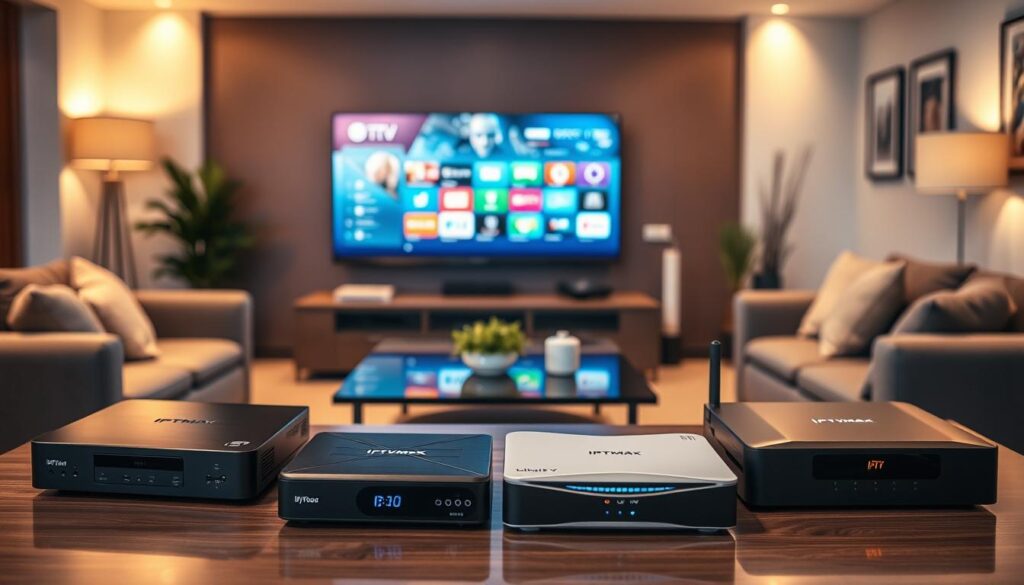
IPTV Box Versus Android TV Box: What I Found
As I explored different streaming options, I found myself comparing dedicated IPTV devices with versatile Android TV boxes. Each type of device offers unique advantages and limitations that can impact your viewing experience. Understanding these differences is crucial for making an informed choice.
Differences in User Experience and Optimization
Dedicated IPTV boxes are specifically designed for streaming content, providing a smooth, cable-like experience. In contrast, Android TV boxes offer broader functionality, allowing users to access various apps from the Google Play Store. While this versatility is appealing, it often leads to a less optimized streaming experience.
For instance, an Android TV box may not switch channels as quickly or navigate the Electronic Program Guide (EPG) as responsively as an IPTV box. Users may also encounter occasional app crashes, which are less common with dedicated devices. This can detract from the overall viewing experience, especially for those who prioritize seamless streaming.
Advantages and Limitations of Each Device Type
When considering an IPTV box, users can expect:
- Optimized Streaming: Purpose-built for IPTV, these devices deliver high-quality streaming without interruptions.
- Intuitive Interface: The user interface is designed for easy navigation, making it simple to find content.
- Reliable Support: Many IPTV boxes come with dedicated customer support tailored to streaming issues.
On the other hand, Android TV boxes offer:
- Versatility: Access to a wide range of apps, including Netflix, YouTube, and IPTV apps.
- Cost-Effectiveness: Generally, Android boxes are more affordable, making them attractive for budget-conscious users.
- Smart TV Features: They can upgrade a regular TV to a Smart TV experience, providing additional functionality.
In conclusion, if your primary goal is reliable, high-quality IPTV streaming, a dedicated IPTV box is the superior choice. However, if you desire a multi-purpose entertainment hub, an Android TV box may be the better option.
Choosing the Best IPTV Box for Canadian Users: What I Prioritized
To ensure a seamless viewing experience, I prioritized specific criteria when selecting an IPTV device. The quality of streaming and resolution support were at the top of my list. Investing in a device that can output the maximum resolution your television supports is crucial. Whether your TV is 1080p or 4K Ultra HD with HDR, the right device can make all the difference.
Matching devices with typical Canadian internet speeds is another essential factor. A stable connection is more important than raw bandwidth. For instance, a consistent 25 Mbps connection will often provide better streaming quality than an unstable 100 Mbps line. Here are the specific internet speed benchmarks I recommend:
| Content Quality | Recommended Speed |
|---|---|
| SD/HD | 10-15 Mbps |
| Full HD (1080p) | 15-25 Mbps |
| 4K Ultra HD | 50 Mbps+ |
| Multiple Screens | +15 Mbps each |
For households with multiple simultaneous streams, it’s vital to add approximately 15 Mbps per additional screen. This ensures smooth playback and prevents buffering during peak viewing hours.
Local support and service availability are also key considerations. I recommend prioritizing IPTV boxes from suppliers like ServerCenter. They offer fast shipping within Canada and provide 24/7 technical support for all hardware issues. Choosing a device with strong manufacturer support guarantees access to firmware updates, troubleshooting assistance, and warranty service.
From my personal experience, investing in an IPTV box with a proven track record of reliability and local availability saved me countless hours of frustration. Cheaper, no-name alternatives often lack the support infrastructure needed for a hassle-free experience.
Setting Up Your IPTV Box for Optimal Performance
A well-executed setup process can make all the difference in your streaming experience. Getting your device ready for use is straightforward and can typically be done in under five minutes. Here’s how to connect your IPTV box to your television and network.
Connecting Your Device to Your TV and Network
First, place your IPTV box near your TV. Connect it to the television using an HDMI cable and plug it into a power source. Once powered on, the device will guide you through the initial setup on the screen.
Next, choose your network connection. For the best streaming quality, I strongly recommend using a wired Ethernet connection. This ensures a stable internet connection, minimizing interruptions during playback. If you must use Wi-Fi, opt for the 5GHz band instead of the crowded 2.4GHz band. Position the device as close to your router as possible for optimal signal strength.
Installing and Configuring IPTV Apps
Once your device is connected, it’s time to install the necessary IPTV apps. For instance, on the Amazon Firestick, you need to enable “Apps from Unknown Sources” in the settings. This allows you to install apps like IPTV Smarters Pro and TiviMate easily. If you’re using a Smart TV, simply access the built-in app store to download your desired apps.
Ensuring Minimal Buffering and Smooth Playback
To ensure minimal buffering, follow these tips:
- Use a wired Ethernet connection whenever possible.
- Position your IPTV box close to the router to enhance signal quality.
- Restart your router weekly to clear memory leaks and maintain optimal performance.
Remember, proper initial setup is the single most important factor in achieving a frustration-free IPTV experience. Even the best device will struggle if connected to a weak or unstable network.
If you encounter common setup issues, such as HDMI handshake problems or incorrect display resolution settings, don’t hesitate to troubleshoot. These minor adjustments can significantly enhance your viewing experience.
How to Pair Your IPTV Box with IPTV Service Providers
Finding the right IPTV service provider is just as critical as selecting the perfect streaming device. Even the most powerful IPTV box is useless without a reliable subscription that delivers the channels and content Canadian viewers actually want. Here’s what I look for in service compatibility.
What I Looked for in Service Compatibility
Compatibility is key when choosing an IPTV service. The provider must support the authentication protocols used by my recommended devices, such as Xtream Codes, Stalker middleware, or M3U playlist URLs. This ensures a smooth connection and access to all available features.
Subscription Options, Pricing, and Channel Packages
When considering an IPTV subscription, I break down typical options and pricing structures available to Canadian users. Here are some real examples:
| Subscription Duration | Price (CAD) | Monthly Equivalent |
|---|---|---|
| 1 Month | $19.00 | $19.00 |
| 3 Months | $28.99 | $9.66 |
| 6 Months | $48.99 | $8.17 |
| 12 Months | $78.99 | $6.58 |
The best IPTV services provide massive content libraries, including over 54,000 live channels, 195,000 movies, and 45,000 TV shows. Premium PPV events and instant VOD access are also typically included. This variety ensures that there’s something for everyone in the family.
Importance of EPG and Catch-Up TV Features
The Electronic Program Guide (EPG) and Catch-Up TV features are crucial for a satisfying viewing experience. A well-implemented EPG transforms the IPTV experience from a chaotic list of channels into a navigable, cable-like interface. Users can see what is currently playing and what is coming up next.
Catch-Up TV is a game-changer for Canadian viewers who cannot always watch live broadcasts. It allows access to previously aired content on demand without needing to set up DVR recordings. This flexibility enhances the overall appeal of the service.
I recommend always starting with a free trial or a short-term subscription before committing to a long-term plan. This allows you to verify service compatibility, streaming quality, and channel availability on your specific IPTV box and internet connection.
Privacy and Legality: The IPTV Landscape in Canada
Navigating the world of streaming can be daunting, especially with the legal complexities surrounding IPTV. The technology itself is legal, but the specific services available can tread a fine line. Understanding this landscape is crucial for Canadian users.
While many IPTV services operate within the law, the legality hinges on whether they possess the necessary licensing agreements for the content they distribute. Legitimate services ensure full copyright compliance, whereas unauthorized options often offer premium channels at suspiciously low prices. This creates a legal gray zone that could pose risks for users.
To safely enjoy streaming, I recommend thoroughly researching service providers. Avoid options that seem too good to be true. Reputable hardware sellers, like ServerCenter, emphasize that they sell IPTV devices strictly as hardware, without bundling subscriptions or channels.
Additionally, I utilize VPNs to enhance my streaming experience. Even with legal IPTV services, a VPN offers privacy and security by encrypting internet traffic and masking my IP address. This is particularly important in Canada, where ISPs monitor user activity and may throttle bandwidth during peak hours.
Using a VPN is not an admission of guilt; rather, it’s a smart privacy measure in an era where online activities are increasingly scrutinized. By taking these precautions, I can enjoy my streaming content with peace of mind.
Why Using a VPN Is Essential With IPTV Boxes
In the realm of streaming, utilizing a VPN has become increasingly vital for users. It offers numerous benefits that enhance the overall experience while safeguarding your privacy. Here are four critical reasons why every Canadian IPTV box user should consider using a VPN.
Protecting Your Identity and Avoiding ISP Throttling
First and foremost, a VPN helps bypass ISP throttling. This common practice occurs when internet providers intentionally slow down streaming traffic during peak hours. This can lead to frustrating buffering and significant drops in quality. With a VPN, your internet traffic is encrypted, making it difficult for ISPs to identify and throttle your streaming activity.
Additionally, a VPN protects your online privacy. It encrypts all data transmitted between your IPTV box and the service provider’s servers. This ensures that neither your ISP nor any third party can monitor what content you are streaming or build a profile of your viewing habits.
Choosing the Right VPN for IPTV Streaming
Another advantage of using a VPN is the ability to access IPTV services that may be geo-blocked or restricted in certain regions. This gives Canadian users the freedom to connect to servers in other countries, unlocking content that would otherwise be unavailable.
After extensive testing, I recommend PureVPN as the best option for IPTV streaming. It offers the fastest speeds, strongest encryption, and an easy installation process across all IPTV platforms, including Android TV devices. PureVPN also comes with a 31-day money-back guarantee, allowing users to test the service risk-free.
Setting up a VPN on your IPTV box is a straightforward process that takes only minutes. Once installed, it provides ongoing protection and performance benefits for the entire lifespan of your device. In today’s streaming landscape, using a VPN is not just a smart choice; it’s essential for a quality viewing experience.

Common Streaming Challenges and How I Overcame Them
Streaming challenges can arise unexpectedly, but there are effective ways to address them. As a Canadian user, I’ve faced several issues, and I want to share my experiences to help you enjoy a smoother streaming journey.
Dealing with Buffering and Connectivity Issues
Buffering is one of the most common streaming challenges. I have a proven troubleshooting sequence that works well:
- Switch from 2.4GHz Wi-Fi to 5GHz Wi-Fi or use a wired Ethernet connection for better stability.
- Reposition your IPTV device closer to the router to enhance signal strength.
- Perform a weekly restart of your router to clear accumulated memory issues that can degrade performance over time.
By following these steps, I’ve significantly reduced buffering and improved streaming quality.
Troubleshooting App Installation and Login Failures
Sometimes, you may encounter issues with app installations or login failures. Here’s how I handle these situations:
- If the Electronic Program Guide (EPG) is blank, refresh the EPG in your player settings and ensure the time zone matches your region.
- For login failures, re-enter your Xtream Codes username, password, and URL exactly as provided, without any extra spaces or characters.
- If an app won’t install, enable “Apps from Unknown Sources” in the security menu on devices like the Amazon Firestick. For Smart TVs, use the built-in app store to download your desired apps.
Most streaming issues have simple solutions once the root cause is identified. Methodically working through these troubleshooting steps resolves 95% of problems without needing to contact technical support.
Investing time in learning these basic fixes empowers Canadian users to maintain a smooth, uninterrupted IPTV experience without frustration or downtime.
Additional Tips From My Experience for Canadian IPTV Users
To enhance your IPTV journey, consider these practical tips. A stable internet connection is crucial for smooth streaming. It matters more than raw speed. Think about how you use your streaming devices. Are they primarily for home viewing, office displays, or hospitality setups? Each scenario has different needs.
Maximizing Home Network Setup for IPTV Streaming
Investing in a quality router with Quality of Service (QoS) settings is essential. This feature allows you to prioritize IPTV traffic over other internet activities. It can help eliminate buffering during peak usage times.
Position your router in a central, elevated location, free from obstructions. For larger Canadian homes, consider using mesh WiFi systems. This ensures strong signal strength reaches every device, regardless of the room.
Selecting Devices That Fit Your Viewing Habits
Choose IPTV devices that genuinely match your viewing habits. Avoid being seduced by flagship models with features you will never use. For instance, if your household only watches 1080p content on a single television, a full HD model is sufficient. There’s no need for a 4K-capable device with 16GB of DVR storage.
Modern IPTV devices use energy-efficient processors. They stay cool and consume minimal power, making them suitable for long viewing sessions without overheating or increasing electricity bills.
If you already own Smart TVs from brands like Samsung or LG, you might not need an external IPTV device. These TVs can run IPTV apps natively through their built-in app stores. This saves both money and HDMI ports.
Finally, think about your specific use case. Whether it’s home viewing, a home office display, or a hospitality setup, choose an IPTV device with the appropriate ports, processing power, and form factor for that environment.
Conclusion
In the quest for optimal streaming, many Canadians seek guidance on selecting the right devices. The Amazon Fire TV Stick 4K remains the best option for most users due to its affordability and 4K support. It runs essential apps like IPTV Smarters Pro and TiviMate seamlessly.
For those wanting premium performance, the Formuler Z8 and Apple TV 4K offer superior experiences. Remember, the device is just one part of the equation. A reliable IPTV service subscription is essential for accessing thousands of channels and content.
Use this guide as a reference to revisit hardware specifications and service compatibility. With the right setup, Canadian users can enjoy a streaming experience that rivals traditional cable, all while maintaining privacy and control over their viewing habits.