In today’s world, the way we consume entertainment has drastically changed. With numerous options available, I found myself drawn to the realm of streaming. This shift made it essential for me to find a reliable device that could enhance my viewing experience.
Not all streaming devices perform equally. My journey led me to discover how a dedicated device could transform my entertainment setup. The right choice not only improves quality but also offers a wider range of content.
Throughout this guide, I will share how I evaluate a streaming device based on several key factors. These include processor speed, RAM, storage, and connectivity options. Each aspect plays a vital role in ensuring a seamless streaming experience, especially in Canada, where internet conditions can vary.
My goal is to help you navigate the options available, avoiding common pitfalls. By understanding the strengths of different devices, you can make an informed choice that suits your specific needs.
Key Takeaways
- Discover the essential features to look for in a streaming device.
- Learn how different devices impact your viewing experience.
- Understand the importance of internet conditions in Canada.
- Avoid common mistakes when selecting a streaming device.
- Get insights from my personal experiences with various devices.
Understanding What a Great IPTV Box Really Is
The landscape of television has evolved, and understanding this evolution is key to making informed choices. IPTV, or Internet Protocol Television, is a technology that delivers live and on-demand content over the internet. Unlike traditional cable or satellite systems, IPTV uses your internet connection to stream programming directly to your screen.
An IPTV box serves as the dedicated middleman between your television and the content servers. It decodes the streams and presents them in a user-friendly, cable-like interface. This means you can enjoy your favorite shows without the hassle of traditional broadcasting.
It’s important to note that IPTV is distinct from standard streaming platforms like Netflix or YouTube. IPTV requires specialized hardware or software to access private servers and channel packages. The IPTV box connects to a service provider’s server via your internet connection, authenticates your subscription, and relays channel data to your screen.
Now, let’s look at the difference between dedicated IPTV boxes and Android boxes. While Android boxes can upgrade your TV to resemble a Smart TV, they often lack the optimization needed for IPTV. This means that while they offer versatility with apps, they may struggle with IPTV-specific tasks like rapid channel switching and EPG navigation.
Dedicated IPTV boxes run operating systems designed specifically for television streaming. This results in faster boot times and more responsive interfaces. Understanding this difference saved me from buying the wrong device early on, and I want you to benefit from that hard-won knowledge.
In Canada, many consumers confuse generic Android boxes with true IPTV boxes. This confusion can lead to disappointing streaming experiences. A great IPTV box is defined by its singular focus on delivering television content with maximum stability and minimal friction.
| Feature | IPTV Boxes | Android Boxes |
|---|---|---|
| Purpose | Optimized for IPTV streaming | General-purpose streaming |
| Performance | Fast boot times, responsive interface | May lag with IPTV tasks |
| Content Access | Private servers and channel packages | Various apps including IPTV |
| User Experience | Cable-like interface | App-based interface |
Key Hardware Features I Look For in a Great IPTV Box
When selecting a streaming device, hardware features play a crucial role in performance. I focus on several key components that ensure a smooth and enjoyable viewing experience.
Processor and RAM for Smooth Streaming
The processor is the heart of any streaming device. I never settle for less than a quad-core CPU. This ensures smooth decoding of high-bitrate streams. Adequate RAM is equally critical. I recommend a minimum of 2GB, but I prefer 3GB or 4GB in premium models like the NVIDIA Shield TV Pro or Formuler Z11 Pro Max for flawless multitasking.
Connectivity Options: Ethernet, Wi-Fi, and Antennas
Connectivity options are vital for a seamless experience. I always prioritize devices with Gigabit Ethernet ports. A wired connection eliminates buffering and interference that Wi-Fi can introduce. For those times when running an ethernet cable isn’t practical, I look for dual-band Wi-Fi with 5GHz support. This offers faster speeds and less congestion.
External antennas are a bonus feature I appreciate. They significantly improve wireless range and stability, especially in larger Canadian homes with thick walls.
Storage Capacity and Expandability
Storage capacity is another important factor. I consider 16GB as my baseline for internal storage. However, I always check for USB or microSD expandability. This accommodates app updates and recording features.
Video Resolution and HDR Support
Video resolution support is non-negotiable. I require 4K UHD capability with HDR10 or Dolby Vision to future-proof my entertainment setup. Additionally, I value HEVC H.265 decoding. This technology allows high-quality streaming even on average internet connections by compressing data efficiently without sacrificing visual clarity.
Through my testing, I’ve learned that cheap devices with underpowered hardware lead to lag, freezing, and a subpar viewing experience. Investing in robust hardware upfront saves money and frustration in the long run, making it the foundation of my selection process.
Software, Apps, and User Interface: What Matters Most
The software and user interface of a streaming device significantly influence the overall viewing experience. Choosing the right operating system can make all the difference in how you interact with your content.
I strongly prefer Android TV or Google TV for their extensive app ecosystems and regular updates. These systems provide easy access to the Google Play Store, which is essential for installing various applications.
On the other hand, some models, like the MAG 524w3, utilize a Linux-based OS. This offers improved stability and simplicity, perfect for users who desire a straightforward IPTV experience without distractions.
Compatibility with Popular IPTV and Streaming Apps
Compatibility with popular apps is a dealbreaker for me. I always ensure that the device supports essential IPTV players such as:
- TiviMate
- IPTV Smarters Pro
- Perfect Player
Additionally, a good streaming device should function as an all-in-one entertainment hub, allowing seamless access to apps like Netflix, Amazon Prime Video, and Disney Plus alongside IPTV applications.
Ease of Setup and Navigability
When evaluating a device, I look for ease of setup. I prefer boxes that guide me step-by-step through:
- Wi-Fi connection
- Google account login
- App installation
A responsive and intuitive interface is critical. Menus should load instantly, and channel switching should feel as snappy as traditional cable. I avoid devices with clunky, outdated software, as they can ruin the streaming experience and often lack support for newer app versions.
For Canadian users, it’s beneficial to have devices with proper regional app compatibility and firmware updates tailored to local network conditions. In conclusion, the quality of software is just as vital as hardware. I never compromise on having a smooth, user-friendly interface.
Review of the Best Great IPTV Box Options I Recommend in 2026
After rigorous testing across Canadian networks, I’ve identified five top contenders for the best IPTV box options in 2026. Each device caters to different budgets and user needs, ensuring there’s something for everyone.
Formuler Z11 Pro Max: The Ultimate IPTV Performance
The Formuler Z11 Pro Max stands out as my top overall pick. It features a quad-core 2.0 GHz processor and 4GB of RAM, providing a seamless streaming experience. The exclusive MyTVOnline 3 app enhances usability with time-shifting, recording, and detailed EPG guides.
This device achieves near-instant channel loading and supports flawless 4K HDR10+ playback. For serious streamers, its price of 210-250 CAD is a worthy investment.
NVIDIA Shield TV Pro: Powerhouse for Gamers and Streamers
The NVIDIA Shield TV Pro is the ultimate powerhouse for both gaming and streaming. Equipped with a Tegra X1+ processor and 3GB of RAM, it delivers stunning visuals with 4K UHD and Dolby Vision support. The AI-assisted upscaling elevates both IPTV and gaming experiences.
Priced at 250-300 CAD, the Shield Pro justifies its cost with unmatched versatility, handling multiple apps without lag and integrating seamlessly with Google Assistant for voice control.
BuzzTV XRS 8500: Canadian Favorite with Responsive UI
As a homegrown brand, BuzzTV XRS 8500 is designed with Canadian users in mind. It offers a great remote and a responsive user interface, making it a favorite among locals. This device excels in app management tools and provides stable firmware updates.
At a price range of 180-230 CAD, the BuzzTV XRS 8500 is a reliable choice for users who value long-term performance and local support.
Amazon Fire TV Stick Max: Budget-Friendly Streaming
The Amazon Fire TV Stick Max is the best budget-friendly option, priced between 60-90 CAD. It supports Wi-Fi 6 and offers smooth 4K HDR streaming. This device is compatible with all major IPTV apps after simple sideloading, making it a versatile choice for budget-conscious users.
Chromecast with Google TV: Simple and App-Friendly
For those seeking simplicity, the Chromecast with Google TV is an excellent option. Its clean interface and direct app support from Google Play make setup a breeze. With a price range of 70-120 CAD, it eliminates setup headaches while providing access to popular streaming services.
| Device | Price (CAD) | Key Features |
|---|---|---|
| Formuler Z11 Pro Max | 210-250 | Quad-core 2.0 GHz, 4GB RAM, MyTVOnline 3 app |
| NVIDIA Shield TV Pro | 250-300 | Tegra X1+, 3GB RAM, AI upscaling, Dolby Vision |
| BuzzTV XRS 8500 | 180-230 | Responsive UI, stable firmware, great remote |
| Amazon Fire TV Stick Max | 60-90 | Wi-Fi 6, 4K HDR, budget-friendly |
| Chromecast with Google TV | 70-120 | Google TV interface, simple setup |
In summary, each device excels in different areas. The Formuler Z11 Pro Max is perfect for IPTV purists, while the Shield Pro caters to power users. BuzzTV offers reliability for Canadian customers, the Fire TV Stick Max is ideal for budget-conscious buyers, and Chromecast provides effortless streaming.
How I Evaluate IPTV Service Provider Compatibility
The relationship between your IPTV box and the service provider can make or break your streaming experience. When choosing an IPTV service, several elements must be considered. Understanding the type of content they stream is essential, as is knowing if they offer packages that align with your viewing preferences.
First, I ensure that my chosen provider is compatible with the IPTV box I own. This compatibility is crucial because even the best IPTV box is useless without a suitable service provider. I always verify that the provider supports the middleware and apps my device runs.
Choosing Services That Work Seamlessly with Your Box
To ensure a smooth experience, I check if the service offers M3U playlist support or Xtream Codes integration. These protocols are vital for seamless connectivity with my IPTV box. This step helps avoid frustrating connectivity issues that can disrupt my viewing.
Content Variety and Regional Packages for Canadian Users
Content variety is another important factor. I look for providers that offer a mix of Canadian channels like CBC, CTV, Global, and Sportsnet, along with international programming. This diversity satisfies all my viewing preferences.
Additionally, I prioritize services with robust EPG data and catch-up TV features. These enhance the functionality of my IPTV box, making it feel closer to a traditional cable experience. I also evaluate stream quality by testing services during peak hours. This ensures they maintain stable 4K and HD feeds without buffering or server downtime.
It’s crucial to be cautious about providers that lack transparency regarding their licensing. Using unauthorized services can lead to legal risks and unreliable streams, undermining the performance of even premium boxes. For Canadian users, I recommend seeking providers with servers located nearby to reduce latency and improve connection stability.
Moreover, I advise matching the service choice to the device’s capabilities. A high-end box like the Formuler Z11 Pro Max deserves a premium service to unlock its full potential. I always read user reviews and test trial periods before committing to a subscription. This way, I ensure the service delivers on its promises.
In conclusion, the synergy between a great IPTV box and a reliable service provider ultimately determines the quality of my daily viewing experience.
| Factor | Consideration |
|---|---|
| Compatibility | Ensure the service supports your IPTV box’s middleware and apps. |
| Content Variety | Look for a mix of local and international channels. |
| Stream Quality | Test during peak hours for stable performance. |
| Licensing Transparency | Avoid providers with unclear licensing to reduce legal risks. |
| Server Location | Choose services with servers close to your location for better stability. |
Internet Speed and Network Setup: Ensuring a Buffer-Free Experience
To enjoy a seamless streaming experience, it’s essential to understand the role of your internet connection. A powerful IPTV box cannot fix slow internet speeds. Therefore, I always start by testing my actual streaming speed using reliable tools like speedtest.net or fast.com. This step is crucial before investing in any hardware.
As a rule of thumb, I recommend:
- A minimum of 25 Mbps for 4K streaming.
- At least 10 Mbps for stable HD content.
- Higher speeds are ideal for households with multiple devices streaming simultaneously.
Next, I advocate for using a wired Ethernet connection whenever possible. This eliminates Wi-Fi interference and provides the consistent bandwidth that live streaming demands. In my setup, I connect my IPTV box directly to the router with a Gigabit Ethernet cable. This has virtually eliminated buffering from my viewing experience.
However, I understand that wired connections aren’t always feasible. For those times, I recommend using dual-band routers with 5GHz Wi-Fi or Wi-Fi 6 technology. These options offer stronger wireless performance, especially in larger Canadian homes. Placing the router in a central location can also help improve signal strength.
To further optimize my network settings, I take the following steps:
- Assign a static IP to my IPTV box.
- Enable Quality of Service (QoS) on my router to prioritize streaming traffic.
It’s also important to consider the impact of ISP throttling on IPTV performance. I sometimes use a VPN to bypass these restrictions, ensuring consistent stream quality. Testing streaming with and without a VPN helps me compare results effectively.
For rural Canadians, unique challenges arise with slower internet speeds. Devices with strong external antennas and efficient HEVC decoding can be especially valuable in these situations. Additionally, I recommend experimenting with different DNS servers and adjusting buffer sizes in IPTV apps to fine-tune performance based on individual network conditions.
In conclusion, investing time in network optimization pays off. A smooth, buffer-free experience makes my IPTV box feel as reliable as traditional cable. For more tips on improving your home streaming setup, check out this guide.
Managing Software Updates and Firmware for Long-Term Performance
Maintaining the software and firmware of my streaming device is essential for a smooth viewing experience. Keeping my IPTV box updated ensures better security, app compatibility, and overall streaming reliability. As the world of IPTV evolves, these updates become increasingly crucial.
I emphasize that keeping my IPTV box’s firmware and software current is one of the simplest yet most impactful habits for maintaining peak performance over time. Manufacturers like Formuler and BuzzTV release regular updates that patch security vulnerabilities, improve app compatibility, and optimize streaming protocols.
My routine involves checking for system updates weekly. Outdated firmware can lead to app crashes, sluggish navigation, and compatibility issues with newer IPTV services. It’s a small effort that pays off in the long run.
Android TV-based boxes benefit from Google’s security patches, while Linux-based devices rely on manufacturer support. This makes brand reputation an important factor in my purchasing decisions.
I manage app updates through the Google Play Store or manual sideloading. This ensures that IPTV players like TiviMate and IPTV Smarters Pro always run their latest versions. Ignoring update notifications can lead to degraded performance and vulnerabilities.
Devices with active developer communities, like the NVIDIA Shield TV Pro, enjoy extended software support and custom firmware options that extend their useful lifespan. I recommend enabling automatic updates where available, but I also stress the importance of reading changelogs to avoid updates that might temporarily break app compatibility.
After major updates, I clear app caches to prevent residual data conflicts. This keeps the interface snappy and responsive. Proactive software management is a cornerstone of my strategy for getting the most out of any IPTV box for years to come.
Privacy, Legality, and The Importance of Using VPNs with IPTV Boxes
Understanding the legal landscape surrounding IPTV is crucial for a safe streaming experience. In Canada, owning and operating an IPTV box is completely legal. These devices simply connect your television to online video streams through various apps or IPTV services.
However, the legality of your viewing depends on the source of the content. Subscribing to licensed providers that pay for streaming rights keeps you compliant with CRTC regulations. I always verify that my IPTV service holds proper licensing for Canadian channels like CBC, CTV, and Sportsnet. This protects me from legal risks and ensures stable, high-quality streams.
The Canadian Radio-television and Telecommunications Commission (CRTC) plays a vital role in regulating broadcasting. Choosing transparent, authorized providers aligns with Canadian copyright laws and enhances the streaming experience.
Legal Considerations for IPTV Use in Canada
While the IPTV box itself is legal, accessing copyrighted content without permission is not. I always recommend checking the licensing status of any IPTV service before subscribing. This not only protects you legally but also ensures that you are receiving a quality service.
Why and How I Use VPNs to Protect Streaming Privacy
I consider a VPN an essential companion to my IPTV box. A VPN encrypts my internet traffic and hides my IP address from ISPs that may throttle streaming bandwidth. This is especially important in a world where governments and ISPs monitor online activities.
Using a VPN provides several key benefits:
- Bypassing ISP throttling to maintain streaming speeds.
- Protecting my online privacy from prying eyes.
- Accessing geo-restricted content that may not be available in Canada.
- Improving routing for smoother streams.
Based on my testing, I recommend PureVPN for its fast speeds and easy installation on Android TV boxes. The 31-day money-back guarantee makes it risk-free to try. My VPN setup process involves installing the app directly on my IPTV box and connecting to a server optimized for streaming before launching any IPTV apps.
It’s important to note that streaming copyrighted content without permission carries serious legal consequences in Canada. I urge all users to use VPNs responsibly alongside legitimate services. Combining a legal IPTV subscription with a reliable VPN gives me peace of mind and an unrestricted, private streaming experience.
| Consideration | Details |
|---|---|
| Legality of IPTV Box | Completely legal to own and operate in Canada. |
| Content Source | Must subscribe to licensed providers for legal compliance. |
| CRTC Role | Regulates broadcasting and ensures content licensing. |
| VPN Benefits | Bypasses throttling, protects privacy, accesses geo-restricted content, improves streaming. |
| Recommended VPN | PureVPN – fast speeds and easy installation. |
Balancing Performance with Budget: Choosing the Best Value Device
Finding the right balance between performance and budget is crucial when selecting a streaming device. Not everyone needs a flagship option, so I’ve developed a framework to help you discover the sweet spot between cost and capability based on your individual streaming habits.
My budget evaluation starts with assessing my TV’s resolution. If I only have a 1080p screen, a mid-range device like the Xiaomi Mi Box S at 100-130 CAD delivers excellent value without overspending on unused 4K features.
The Amazon Fire TV Stick Max is another strong budget-friendly option priced at 60-90 CAD. It supports Wi-Fi 6 and provides smooth 4K HDR streaming for casual viewers, proving that budget-friendly doesn’t mean low quality.
However, I caution against the false economy of ultra-cheap, unbranded Android devices. I have tested these and found them to suffer from outdated software, poor build quality, and frustratingly slow performance.
Investing in a device with at least 2GB of RAM and a quad-core processor is my minimum threshold. Anything less leads to app freezing and buffering that ruins the experience.
For dedicated IPTV users, the Formuler Z11 Pro Max at 210-250 CAD represents the best value. Its specialized software and robust hardware justify every dollar spent over time.
On the other hand, the NVIDIA Shield TV Pro at 250-300 CAD is the best choice for those wanting a single device that excels at IPTV, gaming, and mainstream streaming apps like Netflix and Prime Video.
Consider long-term costs as well. A slightly more expensive device with regular updates and durable hardware often outlasts two or three cheaper alternatives.
For Canadian buyers, it’s essential to factor in local availability and warranty support. Brands like BuzzTV offer domestic customer service that adds value beyond the initial price.
In conclusion, balancing performance with budget is about matching the device to your actual needs, not just chasing the lowest price or the highest specs.
| Device | Price (CAD) | Key Features |
|---|---|---|
| Xiaomi Mi Box S | 100-130 | 4K HDR streaming, Google Assistant, thousands of apps |
| Amazon Fire TV Stick Max | 60-90 | Wi-Fi 6, 4K HDR support, budget-friendly |
| Formuler Z11 Pro Max | 210-250 | Specialized software, robust hardware |
| NVIDIA Shield TV Pro | 250-300 | Gaming and streaming powerhouse, versatile |
Personalizing Your Streaming Experience with IPTV Box Features
The ability to tailor your IPTV device to fit your preferences can significantly enhance your entertainment experience. One of the joys of owning a dedicated streaming device is customizing every aspect of the interface and controls. This personalization makes using the device more intuitive and enjoyable.
Custom remote controls are a fantastic feature. For instance, the BuzzTV XR4000 allows you to program custom shortcuts. You can map buttons to instantly launch your favorite IPTV app, open the electronic program guide (EPG), or jump to specific channel categories. This level of control simplifies navigation and saves time.
Another exciting aspect is the recording and time-shifting capabilities. I love how these features let me pause live TV during interruptions or schedule recordings of important shows, like hockey games. The Formuler Z11 Pro Max with its MyTVOnline 3 app supports these functionalities, making it easy to catch up on missed content.
EPG customization is also crucial. I often organize channel lists, hide unwanted categories, and set favorites. This creates a streamlined guide that mirrors my viewing habits. It’s all about making the interface work for me.
Additionally, premium boxes offer backup and restore functions. These features save hours of reconfiguration after firmware updates or when switching to a new device. I appreciate that my setup remains intact even after changes.
The MYTVOnline3 interface on Formuler devices offers advanced personalization options, including multi-view layouts and detailed program information. This flexibility allows users to adjust the interface to their liking.
Lastly, exploring accessibility settings on Android TV-based boxes can enhance comfort. Adjusting font sizes, color schemes, and menu animations can make a big difference in daily use.
In conclusion, the ability to customize controls, recordings, and guides is a hallmark of a truly exceptional IPTV device. It transforms a generic streaming experience into a personalized entertainment hub that caters to my needs.
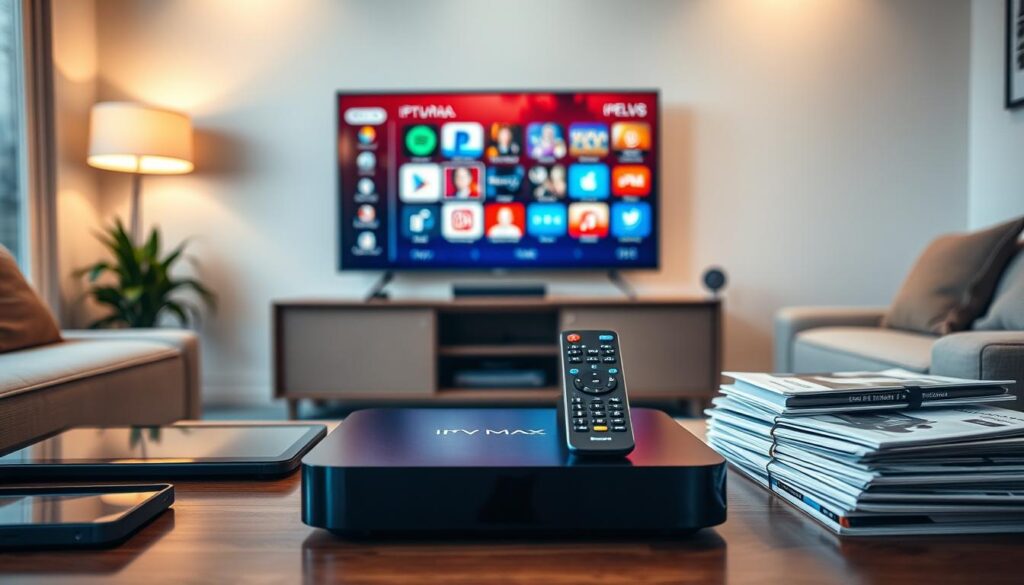
Tips from My Experience to Get the Most Out of Your Great IPTV Box
Maximizing the potential of your streaming device can transform your viewing experience. Over time, I’ve developed several habits that keep my device running smoothly and efficiently. Here are some of my top tips to ensure you get the best performance from your IPTV box.
Regular Maintenance and Cache Clearing
One of the simplest yet most effective practices is regularly clearing app caches. I share my weekly maintenance routine, which prevents the buildup of temporary files that can slow down my IPTV box and cause unexpected crashes. A quick cache clear can significantly improve your device’s speed and responsiveness.
Using Ethernet Whenever Possible
My strongest tip is to use an ethernet cable instead of Wi-Fi. This has been the single most effective change I made to eliminate buffering and ensure rock-solid streaming stability. A wired connection offers a consistent internet experience, minimizing interruptions during your favorite shows.
Additionally, I periodically reboot my IPTV box and router. This refreshes network connections and clears memory leaks that accumulate during extended streaming sessions. Uninstalling unused apps and disabling background processes can also help keep the device focused on delivering smooth performance.
Organizing playlists and removing dead channels from my IPTV app speeds up EPG loading and makes channel surfing more enjoyable. I advise checking for firmware updates at least once a month. Manufacturers frequently release optimizations that improve decoding efficiency and app compatibility.
I’ve also found it helpful to test different video players within my IPTV app. Switching from the default player to an external one like VLC can resolve playback issues with certain streams. Moreover, keeping a spare HDMI cable and power adapter on hand can prevent unnecessary frustration, as faulty accessories can mimic device problems.
Lastly, I suggest documenting settings and configurations with the backup feature. This way, restoring after a factory reset is quick and painless. These simple, proactive habits have extended the lifespan of my devices and kept my streaming experience consistently excellent.
Why I Believe a Great IPTV Box Can Transform Canadian Entertainment
For many Canadians, the era of traditional cable television is fading. Today’s viewers crave flexibility, quality, and control over their viewing habits. This is where an IPTV box comes into play. These compact devices have become the heart of home entertainment, turning any television into a smart, on-demand hub for global content.
In Canada, where the costs of conventional services can be steep, this device offers an affordable and efficient alternative. It delivers more variety, higher resolution, and quicker access to content than ever before.
Reflecting on my own experience, my IPTV box has fundamentally changed how I consume entertainment. I no longer feel tied to rigid cable schedules or expensive bundled packages that once defined Canadian TV.
With thousands of live channels and on-demand titles at my fingertips, I enjoy complete control through a single, intuitive interface. This empowerment has transformed my viewing habits.
Financially, switching from a 100+ CAD monthly cable bill to an IPTV subscription paired with a one-time device purchase has saved me hundreds of dollars annually. The savings are significant and allow me to invest in other areas of my life.
Culturally, a great IPTV box opens the door to local channels like CBC and Sportsnet, alongside international content that reflects our diverse society. This access enriches my viewing experience, making it more relevant and enjoyable.
The flexibility to watch on my schedule, pause live TV, and record programs means entertainment fits into my life, rather than the other way around. It’s a game-changer.
Moreover, the picture quality from modern devices with 4K HDR support surpasses anything I experienced with cable. Sports and movies come to life with stunning clarity, enhancing my overall enjoyment.
This transformation is accessible to all Canadians. Whether you live in an urban condo with gigabit internet or in a rural area, you can optimize your setup with the right device and network configuration.
I firmly believe that the combination of a premium IPTV box and a reliable service represents the future of home entertainment in Canada. It’s not just a gadget; it’s an investment in a superior, personalized way to experience television.
Once you experience the freedom and quality of a well-chosen IPTV box, there’s no going back to the limitations of traditional cable.
| Benefit | Description |
|---|---|
| Flexibility | Watch content on your schedule without rigid cable constraints. |
| Cost Savings | Significantly lower monthly expenses compared to traditional cable. |
| Content Variety | Access to local and international channels that reflect cultural diversity. |
| Quality | Experience stunning 4K HDR visuals that enhance your viewing. |
| Control | Enjoy an intuitive interface that puts you in charge of your entertainment. |
Conclusion
With so many devices available, choosing the right one for your needs is essential. I select a top IPTV box by evaluating processor and RAM specifications, connectivity options, and storage capacity. Video resolution support and operating system compatibility also play crucial roles. Each device must match my specific streaming needs and internet setup in Canada.
The best IPTV boxes share common traits: strong processors, reliable network options, and solid app compatibility. Whether opting for the Formuler Z11 Pro Max for dedicated IPTV use or the Chromecast for simplicity, the right device enhances your viewing experience.
Investing in quality hardware upfront pays off with smoother streaming and fewer technical issues. Pairing your device with a legitimate IPTV service and optimizing your home network are critical steps to cutting the cord effectively.
Lastly, using a VPN is vital for privacy and performance, while staying informed about the legal landscape of IPTV in Canada. I encourage you to use this guide as a reference to find the perfect device that transforms your entertainment experience.
Thank you for trusting my expertise, and I wish you a seamless, buffer-free streaming future with your new IPTV box!